Link-driven screen navigation
Request a named HMI screen through a configured browser link, then navigate the target content window using the project's native event handler.
The right screen. A clearer view of connected users. Consistent remote session behaviour.
Custom Web Client Navigation and Session Management for WinCC Unified
Functional testing on the physical panel was completed and confirmed by the developer. Other panel models, versions and PC Runtime require separate verification.
Remote access often needs more than opening the Runtime homepage: a link to the relevant screen, a local view of remote users, and predictable behaviour when the remote session is inactive.
UniSession Navigator combines these requirements in one configurable implementation, with separate handling for the physical panel and remote browser clients.
Workflow illustration · No live panel connection
Request a named HMI screen through a configured browser link, then navigate the target content window using the project's native event handler.
Display the physical panel user and up to three remote-user entries in the tested configuration, giving the local operator a practical view of connected users.
Apply a configured allowed-username check to authenticated remote clients, with automatic logoff for non-matching users. Local panel handling remains separate.
Use a remote-client inactivity timer to trigger logoff and navigate the browser away from Runtime. The implementation supports feature switches and a configurable timeout.
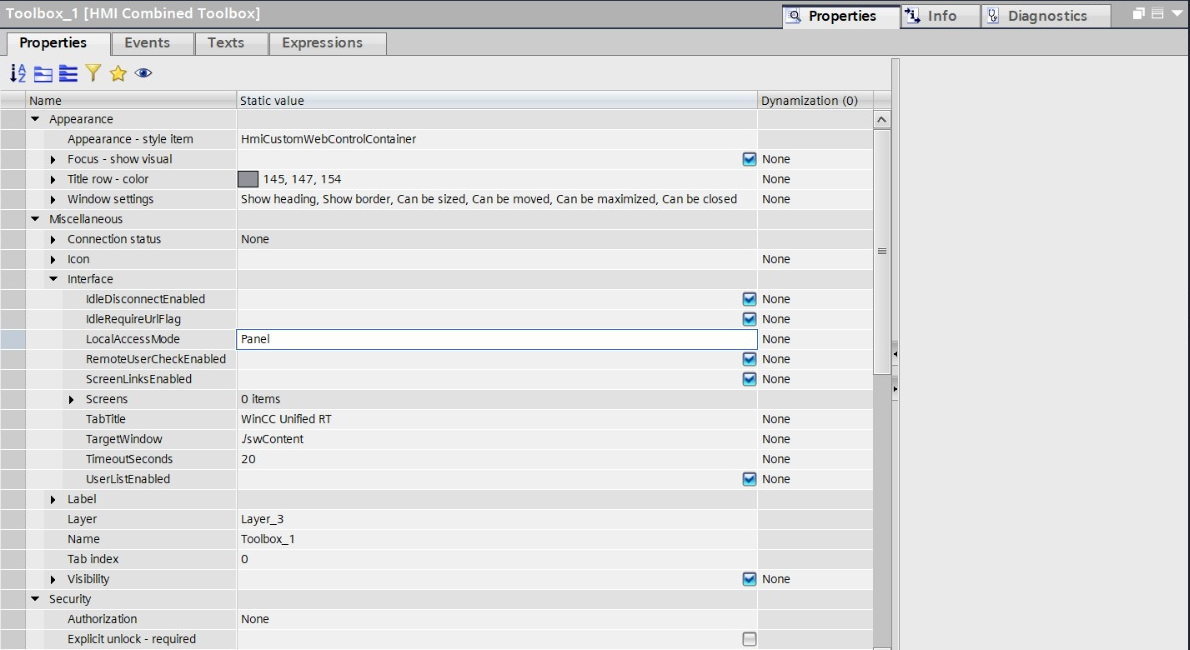
A persistent Custom Web Control, native JavaScript event handlers and shared internal tags bring the features together in the HMI project.
Feature switches separate screen linking, user display, remote-user checking and idle behaviour. The matching control package and event scripts are maintained together.
For system integrators and machine builders who need a coordinated remote navigation and session workflow on a Unified Comfort Panel.
Share your panel model, exact TIA/Runtime version, screen layout and required client behaviour. Integration support is delivered entirely online through remote engineering, documentation and online reviews. The client handles panel downloads, hardware work and physical commissioning. Compatibility, deliverables and acceptance responsibilities are agreed before work begins.
Discuss integration ↗Remote-user checking is application-level logic after login. Native Siemens user roles, function rights and network protections remain responsible for access control.
The username “Monitor” used in the tested setup is not, by itself, proof of read-only permissions. Those rights must be configured and tested in the target project.
Session-list updates include fallback cleanup after abrupt disconnects. Available web-client capacity and licensing remain device-specific; browser blanking is not a verified license-release claim.
Independent CodeMinder solution for Siemens WinCC Unified. Not a Siemens-certified or Siemens-endorsed product.
Online-only engineering: project development, remote troubleshooting through your authorised workstation, simulation and digital handover. Support availability is confirmed when you enquire.
Use your email app or Gmail, or copy the address. Gmail requires sign-in.